Are you looking to enhance your driving experience with superior sound quality? This comprehensive guide will walk you through everything you need to know about car stereo installation, from understanding the basics to performing a successful upgrade. Get ready to transform your vehicle’s audio system.
Understanding Car Stereo Installation
What is a Car Stereo?
A car stereo, also known as a head unit, is the central component of your car audio system that controls the sound output in your vehicle. It typically includes a radio tuner, CD or DVD player, and often features connectivity options for external devices. The car stereo is responsible for processing audio signals before sending them to the speakers, ensuring you receive clear and enjoyable sound throughout your car.
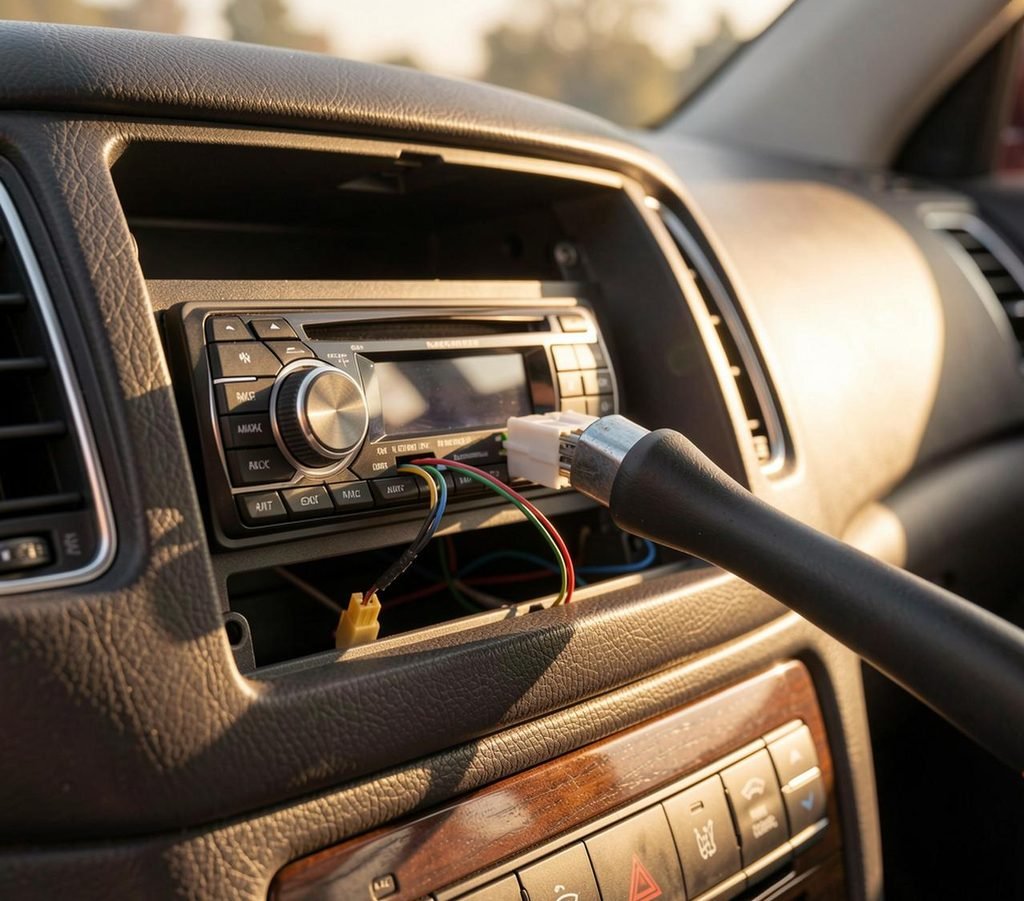
Benefits of Upgrading Your Car Audio
Upgrading your car audio system offers numerous advantages beyond just louder music. A new stereo can provide enhanced sound quality, with clearer highs and richer bass, transforming your daily commute into a concert-like experience. Many aftermarket car stereos come with advanced features such as touchscreen displays, Bluetooth connectivity, and Apple CarPlay or Android Auto, greatly improving convenience and safety while driving. This upgrade can significantly modernize an older car, making it feel like a new car again.
Common Features of Car Stereos
Modern car stereos come packed with a variety of features designed to enhance your driving experience. Many new car stereo units boast touchscreen interfaces for intuitive control, while others offer seamless smartphone integration through Apple CarPlay or Android Auto. You might find features like built-in navigation, USB ports, auxiliary inputs, and Bluetooth for hands-free calling and audio streaming in a top car. Some advanced head units even offer sound processing features to fine-tune your audio settings for optimal performance in your specific vehicle.
Preparing for Installation
Selecting the Right Car Stereo Kit
Choosing the correct car stereo kit is crucial for a seamless car stereo installation. You’ll want to ensure the new stereo is compatible with your vehicle’s make and model, and that any necessary adapters or a mounting kit are included or purchased separately. This kit often includes a wiring harness that connects the new car stereo to your car’s existing electrical system without needing to cut factory wires.
Essential Tools for Installation
For a successful car stereo installation, having the right tools on hand is essential. You’ll likely need a set of trim removal tools to safely remove the factory stereo’s surrounding panels without causing damage to the dash. Additionally, screwdrivers, a wire stripper, crimping tool for butt connectors, and electrical tape are fundamental for managing the wiring process and ensuring secure connections for your new car audio system.
Gathering Necessary Accessories
Beyond the car stereo kit and basic tools, gathering all necessary accessories will greatly simplify your car stereo installation. This might include an antenna adapter if your new stereo uses a different connector than the factory radio, or a dash kit to ensure the new car stereo fits perfectly into the dash opening after removing the old stereo. A wiring harness adapter is also often required to connect the aftermarket head unit to the vehicle’s existing wiring without modification.
Step-by-Step Installation Process
Removing the Factory Stereo
The first step in your car stereo installation is to remove the factory stereo. This typically involves several key actions:
- Disconnecting the car’s battery as a safety precaution.
- Using appropriate trim removal tools to carefully pry away the dash panels surrounding the old stereo.
- Unscrewing the factory head unit and gently sliding it out of the dash.
- Disconnecting all the wires and connectors from the back of the factory radio.
Wiring the New Car Stereo
Wiring the new car stereo correctly is a critical phase of the installation process, especially when using crimp connectors. You will connect the new car stereo’s wiring harness to the vehicle-specific wiring harness adapter, matching the colors of the wires (e.g., power, ground wire, speaker wires). Secure these connections using butt connectors or soldering for a reliable electrical signal, ensuring every wire is properly insulated to prevent shorts in your car’s electrical system.
Installing the Car Stereo into the Dash
Once the wiring is complete and tested, the final step is installing the car stereo into the dash to enhance your automotive sound system. This involves several key actions:
- Attach the mounting kit to the new car stereo, then carefully slide the head unit into the dash opening.
- Secure it with screws and reinstall all the trim panels you removed earlier to complete the installation.
- Reconnect the car’s battery, and power on your new stereo to ensure everything is functioning correctly, bringing your upgraded car audio to life with the latest tech.
Professional Installation vs. DIY
When to Opt for Professional Installation Services
Opting for professional installation services is often recommended for those who are not familiar with car electronics or complex car audio systems. A professional installer has the expertise to handle intricate wiring, ensure proper fitment of your new car stereo, and troubleshoot any potential issues that may arise during the installation process. This ensures that your new car stereo is installed correctly, avoiding any damage to your vehicle’s electrical system and providing peace of mind for your automotive sound system.
Advantages of DIY Installation
For individuals with some technical skills and the right tools, performing a DIY car stereo installation can be a rewarding experience in tech. The primary advantage is cost savings, as you avoid labor fees associated with professional installation services. Additionally, installing a stereo yourself allows you to gain a deeper understanding of your vehicle’s automotive sound system and the components involved. You also have the flexibility to take your time and learn as you go, which can be a valuable learning experience.
Cost Considerations for Installation
When considering the cost of car stereo installation, several factors come into play. Always get a detailed quote before committing to either option to ensure it fits your budget for your car audio upgrade.
| Installation Type | Cost Components |
|---|---|
| DIY Installation | New stereo, mounting kit, wiring harness, antenna adapter. |
| Professional Installation | New stereo, mounting kit, wiring harness, antenna adapter, labor fees (varying based on complexity and hourly rate). |
Post-Installation Tips
Testing Your New Car Audio System
After successfully installing a new car stereo, the immediate next step is thorough testing to ensure everything functions as expected. Power on your vehicle and verify that the head unit receives power, displays properly on its touchscreen, and that all audio outputs are working in your automotive sound system. Test all speaker channels, check radio reception, and confirm that any connected devices, such as those using Apple CarPlay or Android Auto, integrate seamlessly. This initial test helps identify and rectify any wiring or connectivity issues before reinstalling the dash completely.
Adjusting Settings for Optimal Sound
To truly enjoy your upgraded car audio, adjusting the settings for optimal sound is crucial. Your new car stereo will likely offer various audio controls, including equalizer settings, balance, fader, and possibly digital sound processing features. Experiment with these settings to tailor the sound profile to your preferences and the acoustics of your vehicle. Fine-tuning these options can significantly enhance clarity, bass response, and overall sound quality, making your driving experience much more enjoyable.
Maintaining Your Car Stereo
Proper maintenance of your new car stereo will ensure its longevity and continued peak performance. Regularly clean the touchscreen with a soft, dry cloth to prevent smudges and dust buildup. Avoid exposing the unit to extreme temperatures, which can damage internal components. Periodically check all connections behind the dash to ensure they remain secure, especially the ground wire and main power wire. Keeping your car’s electrical system in good condition will also contribute to the overall health of your car audio system, preventing unexpected issues.
What do I need to know before I start car stereo installation in my car?
Before beginning any installation, survey the vehicle: identify the existing factory stereo, dash layout, and available space for a new head unit or new stereo. Gather tools such as trim removal tools, screwdrivers, a multimeter, and wire strippers. Confirm the compatibility of the new car stereo with your vehicle by checking DIN sizes (single or double din), mounting depth, and connector types. If the factory wiring uses proprietary plugs, obtain the correct wiring harness or an adapter to avoid cutting factory wire. Make sure you know how to safely disconnect the battery to prevent short circuits and airbag faults. If the job involves custom mounting kit work, speaker upgrades, or electrical modifications, consider whether you need professional installation or suitable installation services.
How do I safely remove the factory stereo or remove the old stereo?
First, always disconnect the negative terminal of the battery to prevent shorts and protect vehicle electronics. Remove surrounding trim panels with a plastic removal tool to avoid damaging the dash. Locate and remove screws retaining the dash bezel and the factory stereo. Slide the unit out carefully using the correct extraction keys for your factory radio if required. Unplug the connector harness and antenna lead; some vehicles may have additional connectors for steering controls or amplifiers. Label or photograph connections for reassembly. If the factory stereo is integrated into other systems, consult the factory service manual to avoid shunting signals or disabling safety systems.
What is the role of a wiring harness and adapter when I install a new car stereo?
A correct wiring harness or adapter allows you to connect a new aftermarket head unit to the vehicle’s factory wiring without cutting OEM wire. Harnesses map color-coded leads for power, ground, speakers, and accessories, simplifying splicing or plug-in connections. An adapter can retain steering wheel controls or preserve factory amplifiers by translating signals. Using a dedicated harness reduces installation time, preserves resale value, and makes future removal or upgrades straightforward. When installing, verify pins for constant power, ignition (accessory) power, ground, and speaker outputs with a multimeter to avoid reversing polarity or feeding power to the wrong circuits.
How do I wire and secure speaker connections for optimal car audio performance?
Match speaker leads from the new head unit to the vehicle speaker wires, maintaining correct polarity (+ and −) to prevent phase issues that degrade the sound system. Use quality connectors such as butt connectors or solder and heat-shrink for permanent joints; if you use butt connectors, choose ones rated for automotive vibrations. Grounding is critical: ensure the ground wire on the head unit has a solid chassis or factory ground point. Route speaker wires away from large power cables and antenna leads to reduce noise signal interference. For upgrades that change impedance or power handling, confirm amplifier compatibility and use appropriate gauge wire to carry current without voltage drop.
Can I install a touchscreen new stereo myself, and what special considerations exist?
Installing a touchscreen new stereo follows the same principles as any install, but there are additional considerations: ensure the unit fits the dash opening or that you have the correct mounting kit for the dash and trim. Touchscreen units may require a constant power lead for memory, a switched accessory lead, reverse camera input, and dedicated parking brake or speed-sensing inputs for certain features. Verify that smartphone integrations (e.g., apple CarPlay) and accessory ports are compatible with your vehicle wiring. Because of their complexity and potential for software setup, some owners prefer professional installation, but a competent DIYer with the right kit and harness can complete the job.
What tools and parts are required to install an aftermarket car stereo?
Essential tools include trim removal tool set, screwdrivers, socket set, wire strippers, crimping tool, multimeter, and possibly a soldering iron. Parts: correct wiring harness, mounting kit (or kit), dash trim pieces, antenna adapter, and any speaker mounting brackets. For installations involving amplifiers or subwoofers, bring proper gauge power and ground wire, fuses, and distribution blocks. If the vehicle requires special extraction keys for the factory stereo, obtain them to avoid damage. Keep replacement screw and small fasteners organized; some dash panels employ clips that are single-use and may need to be replaced.
How do I handle power, ground wire, and fuse connections when installing a new head unit?
Identify the constant 12V (memory) and switched 12V (accessory) wires using the wiring diagram or a multimeter. The ground wire should be attached to a clean, unpainted chassis surface or to the OEM ground point. Protect the main power feed with an inline fuse matching the manufacturer’s recommendation located close to the battery or at the distribution point. Whenever adding amplifiers or high-current accessories, use appropriately gauged power cable from the battery with a main fuse at the battery terminal to protect the electrical system. Avoid using existing illumination circuits or loosely splicing into unrelated circuits; instead use proper taps or signal interfaces to preserve factory wiring integrity.
What are common problems after installing a stereo and how do I troubleshoot them?
Common issues include no power (check fused power leads and ignition-switched feed), no sound (verify speaker wiring and polarity), persistent radio noise (check grounding and route cables away from power lines), and boot or software issues with touchscreen units (perform firmware updates or resets). If steering wheel controls stop working, confirm the wiring harness and adapter retain the control interface. If the vehicle has a factory amplifier, the signal path or amplifier turn-on wire may need to be addressed. Use the multimeter to verify voltages at the head unit harness, and check for blown fuses in both the vehicle fuse box and any added inline fuses.
When should I choose professional installation over doing it myself?
Opt for professional installation if the job requires significant dash modification, integration with complex vehicle electronics (CAN bus, factory amplifiers, airbag or climate control systems), or advanced custom fit work for speakers and enclosures. Professionals are preferable for retaining factory features in new car systems, for troubleshooting electrical faults, or when installing high-power amps and subwoofers that need custom wiring and space for ventilation. If you lack tools, experience with automotive electrical systems, or confidence in safely disconnecting the battery and handling airbags, hiring a qualified shop minimizes risk and protects your vehicle’s warranty and resale value.
How do I upgrade my sound system while keeping some factory components?
Begin with a clear plan: determine which components to keep (e.g., factory speakers or amplifier) and which to upgrade (head unit, speakers, amp). Use adapters and wiring harness interfaces to retain factory amplifiers and steering wheel controls. If the factory system uses amplified outputs, you may need a line output converter or a dedicated interface to provide preamp-level signal for an aftermarket amplifier. For speakers, choose units that physically fit the factory locations or use custom mounting kits. Keep factory ground and power points intact and run new power and ground cables for added amplifiers. Carefully plan enclosure and placement to preserve cabin acoustics and minimize rattle or resonance from the dash or panels.
One Comment